The problem
Linear referencing measures in transportation and address ranges in 9-1-1 systems both model a road’s connectivity through attributes rather than geometry. When the ranges on two segments overlap, the same house number exists in two places.
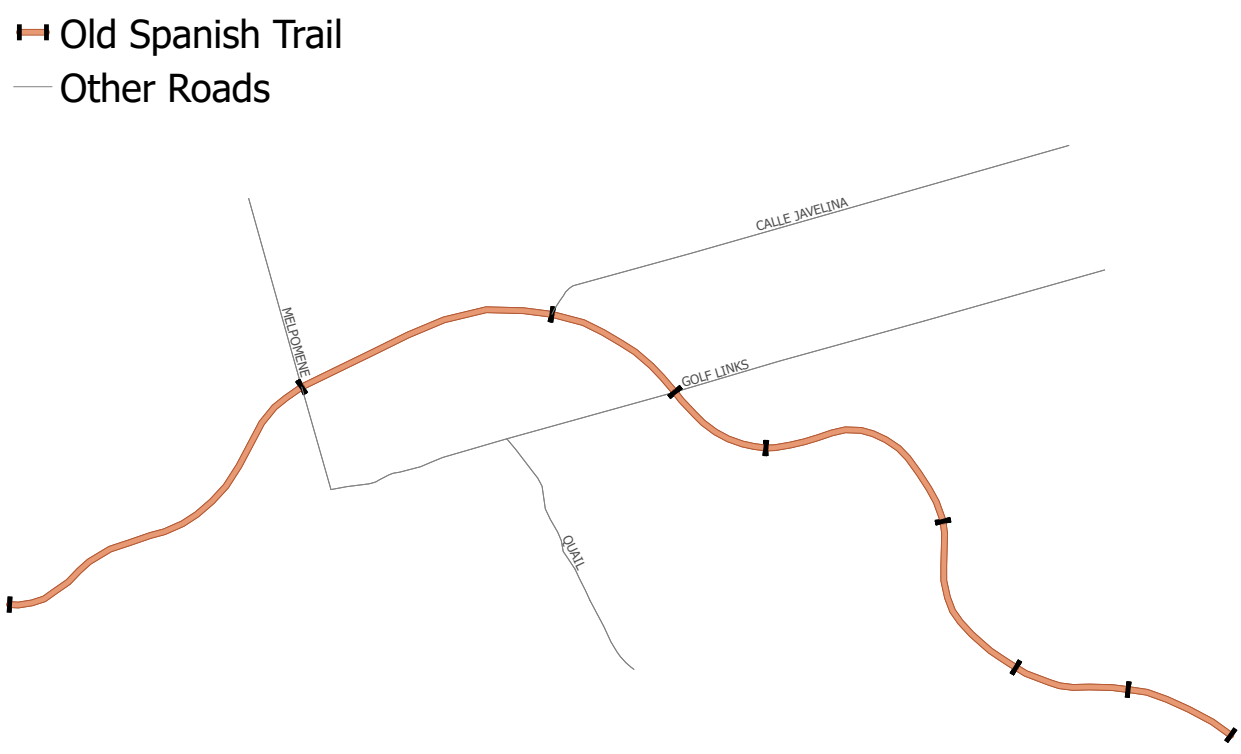
Here segment 1’s right range runs 202 to 300, but segment 2’s right range starts at 240. Any address from 240 to 300 sits on both segments. Now imagine dispatching to 275 Old Spanish Trail.
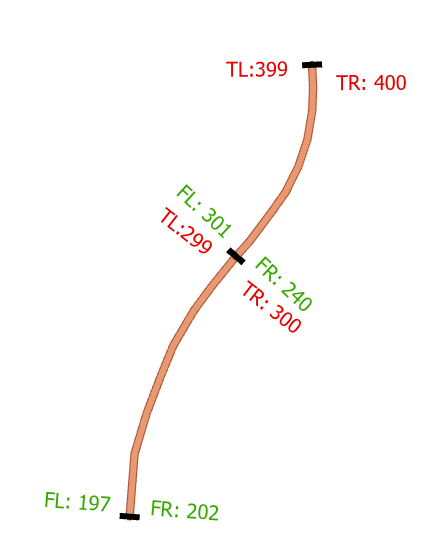
With two records the error is easy to see. With two million it isn’t. SQL window functions can compare a record with its neighbor in the sort order, but which field do you sort on, and what about a record that overlaps twenty others?
Use geometry instead
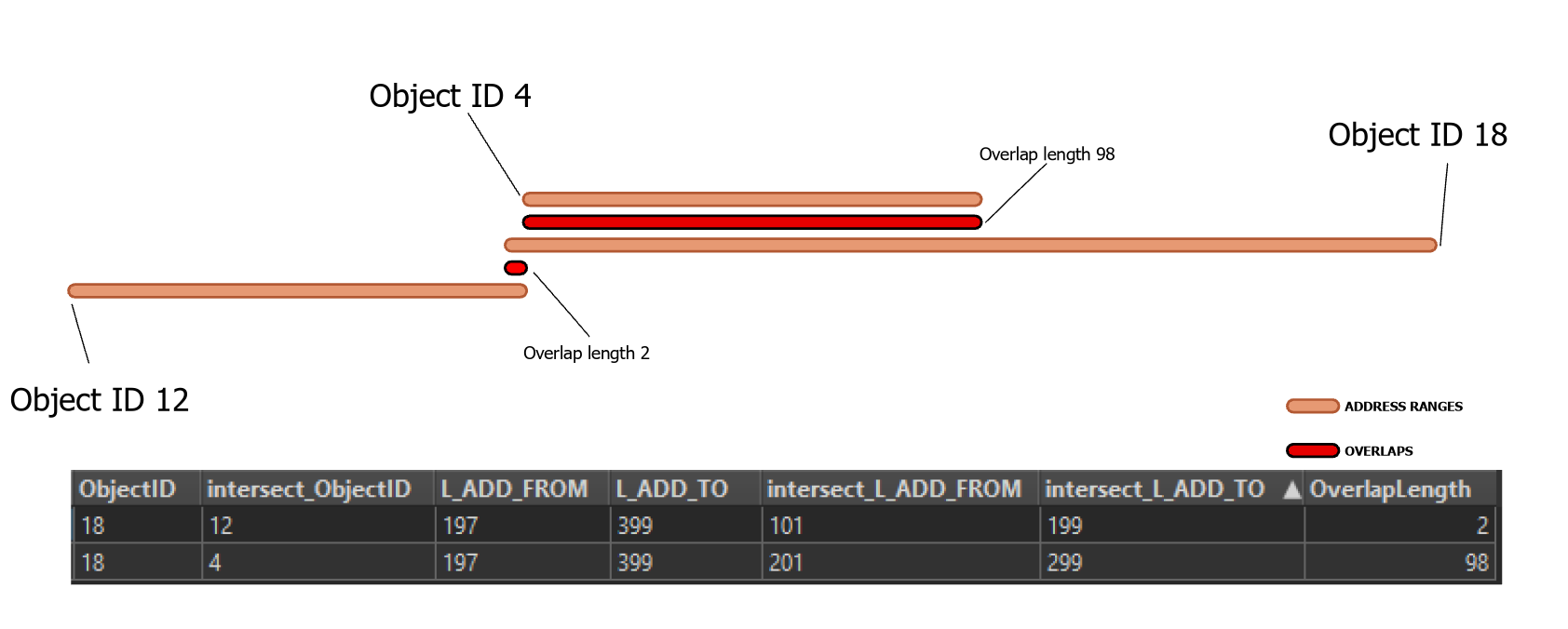
From/to values ignore the road’s bends and should never overlap. So plot each range as a straight line on a plain Cartesian plane, with the from and to values as X and every line on the same Y. Overlapping ranges become intersecting lines, and a spatial engine finds intersections fast.
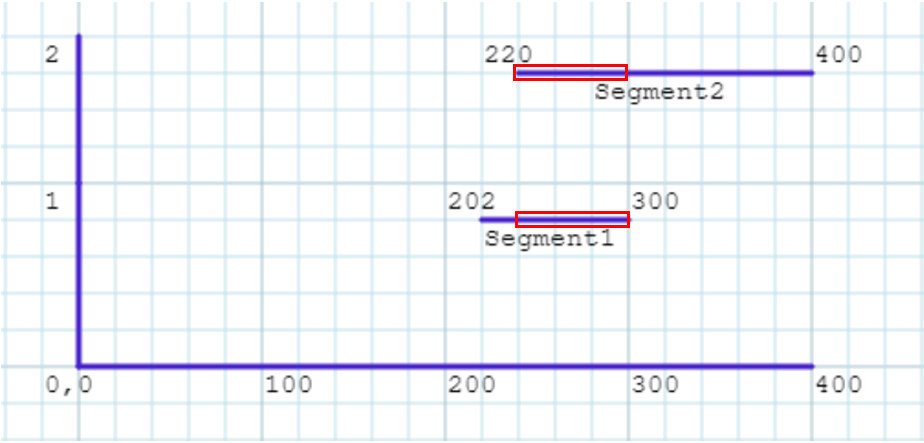
The FME workspace
About ten transformers do the real work, run once for left ranges and once for right.
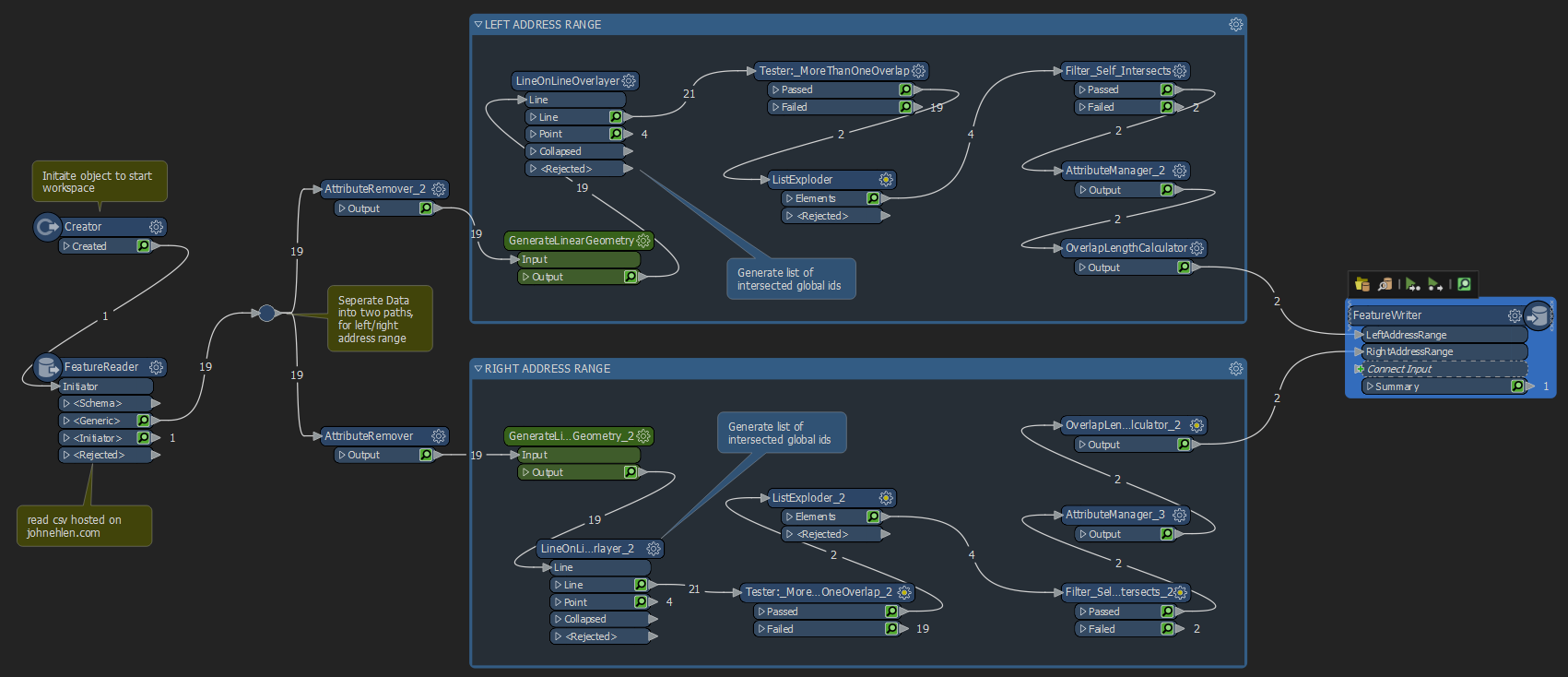
- A Creator starts the run and a FeatureReader pulls the centerline CSV from a web URL.
- The stream splits into left and right ranges, and unneeded attributes are dropped.
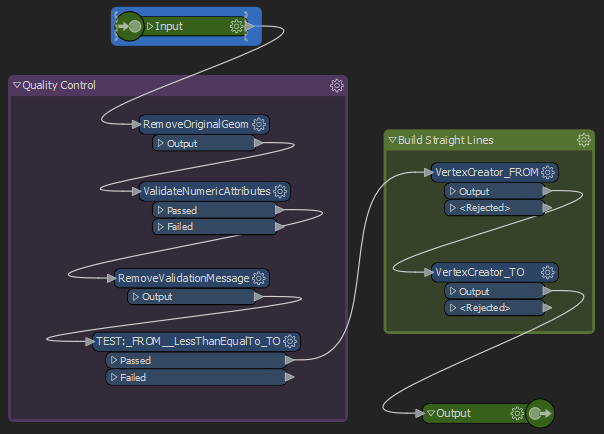
- A custom transformer validates the data: it removes the original geometry, checks the measures are numeric and tests that from is less than to.
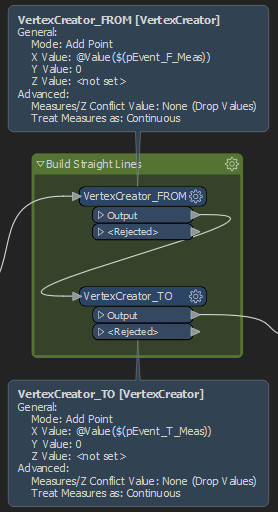
- Two VertexCreators build a new line from (from, 0) to (to, 0), so every range lands on the same axis.
- A LineOnLineOverlayer intersects the lines, grouped by street and locality so unrelated roads never match.
- A Tester keeps features with more than one overlap (every feature overlaps itself), a ListExploder lists each overlap, and self-matches are dropped.
- The overlap length is calculated and the results are formatted.

I also wrote this method up as an article: read it on LinkedIn.