What it shows
Each line runs from an address point to where that address geocodes along the street centerline. The errors it surfaces include:
- Addresses or road ranges out of numerical order
- Addresses or road ranges on the wrong side of the street
- Addresses or road ranges on the wrong block
- Mismatched pre-directionals, post-directionals and street names
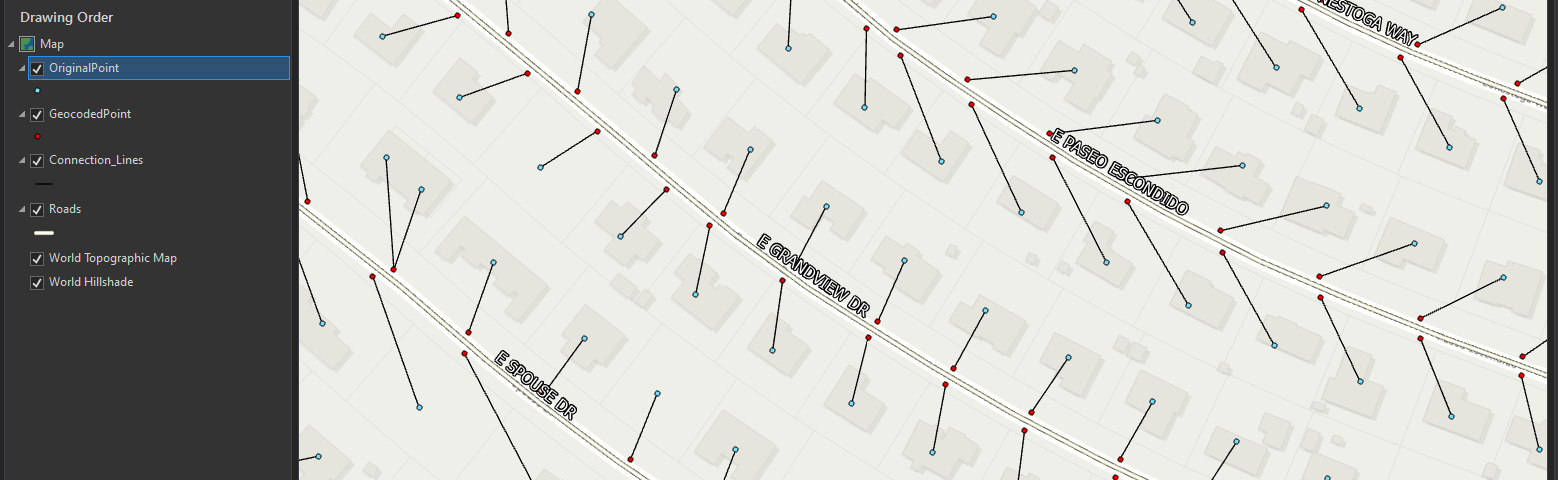
The lines should (almost) never cross. When they do, the road attributes or the address attributes are wrong.
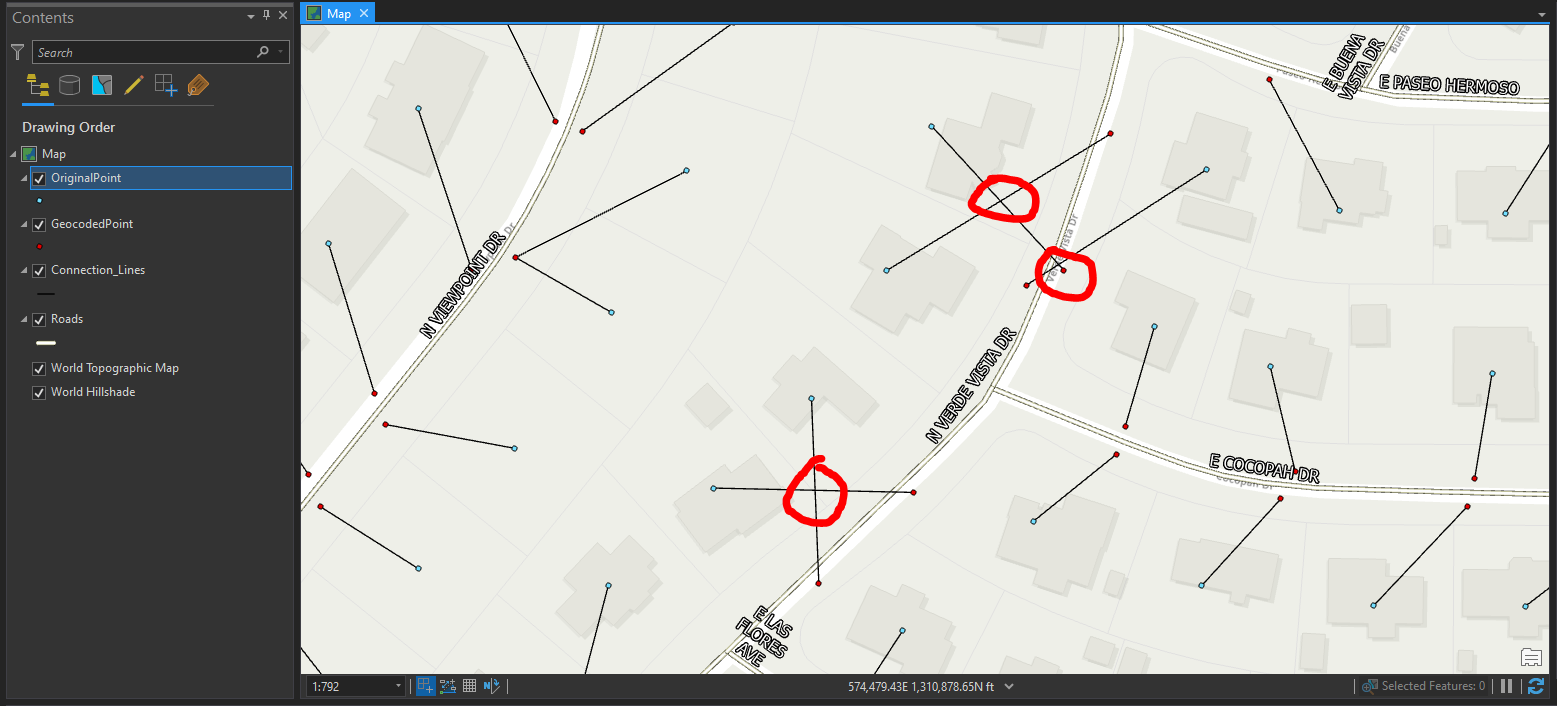
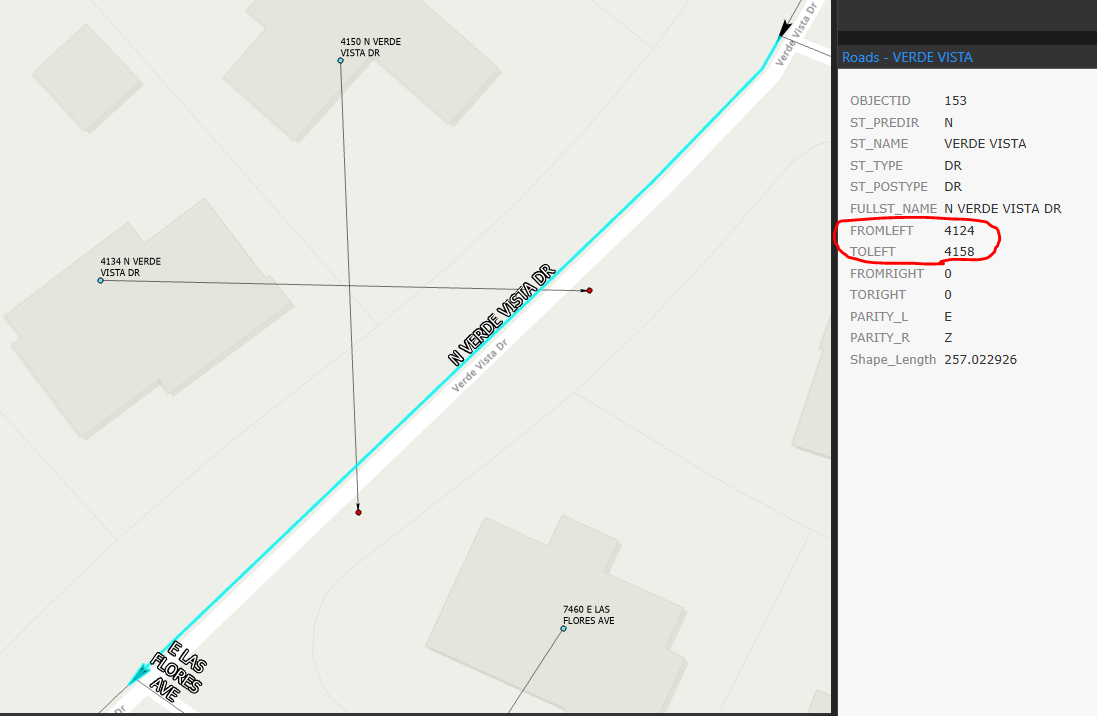
What the errors look like

How it’s built
Five steps, the same ones from the AGIC talk:
- Build a dual-range U.S. address locator from the road centerlines.
- Geocode the address points with it.
- Create an empty polyline feature class and draw one line per address, from its original position to its geocoded position.
- Find the places where lines intersect.
- Investigate each one and fix the address point or the road record.
# Truncate old connection lines feature class records
arcpy.management.TruncateTable('Connection_Lines')

connection_line_list = []

# Read the original (POINT_X/Y) and geocoded (DisplayX/Y) position of each address
with arcpy.da.SearchCursor('GeocodedPoint', ["Match_addr", "POINT_X", "POINT_Y", "DisplayX", "DisplayY"]) as in_table:
    for row in in_table:
        start_point = arcpy.Point(row[1], row[2])
        end_point = arcpy.Point(row[3], row[4])
        line = arcpy.Polyline(arcpy.Array([start_point, end_point]))
        connection_line_list.append([line, row[0]])

# Insert the new connection lines
with arcpy.da.InsertCursor('Connection_Lines', ["SHAPE@", "Match_addr"]) as insert_cursor:
    for line in connection_line_list:
        insert_cursor.insertRow(line)
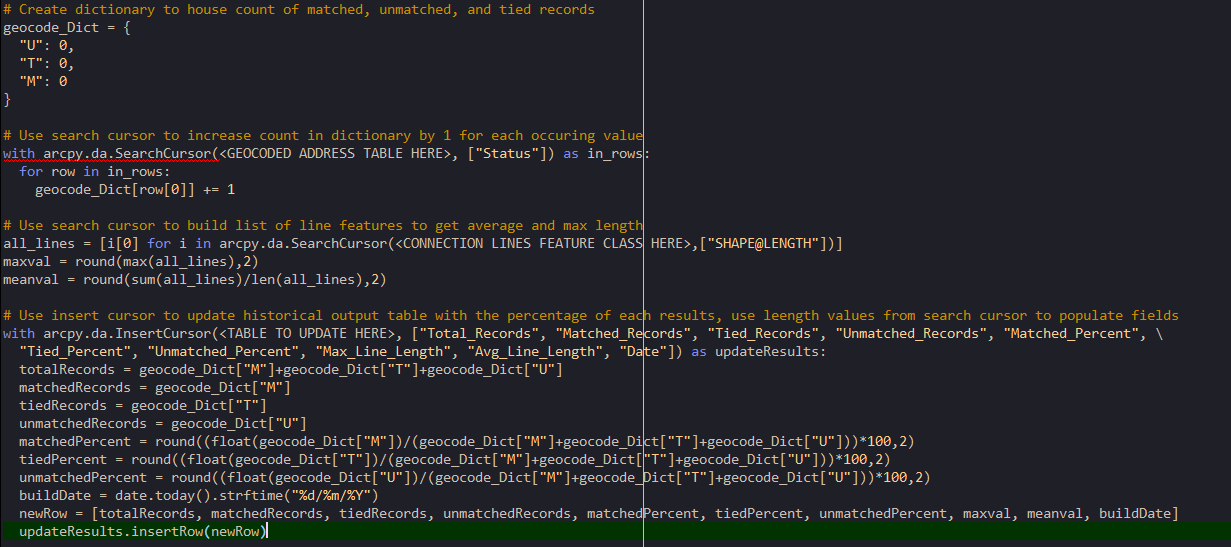
In production
The version used at Yavapai County went further: it rebuilt the address locators, managed table views and relationship classes, and recorded each run’s totals, match/tie/unmatched percentages, average connection-line length and longest line. Charting those over time showed the cleanup’s progress.
Where it runs matters. A full run took about 40 minutes against the enterprise database and 10 to 15 minutes on a laptop file geodatabase, so the checks ran on a local copy and only the fixes went back to the server.