The problem
Geodatabase domains are meant to keep bad values out, but they’re easy to get around. Scripts, direct SQL, FME and even Esri’s own Field Calculator and Append tools can write values outside a field’s coded list or range, and nothing flags it. In a statewide linear referencing system edited by several agencies and contractors, those values pile up.
How it works
- Query the Roads and Highways registry for every registered table and its type: route network, linear event or point event. A user-supplied ignore list drops tables or fields that shouldn’t be checked.
- Generate one SQL statement per stream from shared logic, so a field change is made in one place, and read only the features edited inside the look-back window.
- Read the coded-value and range domains straight from the geodatabase metadata, so validation always uses the current rules.
- Explode each record into field/value pairs, sample one set per feature class and field for the domain join, then split into range checks and coded-value checks. Unmatched values are violations.
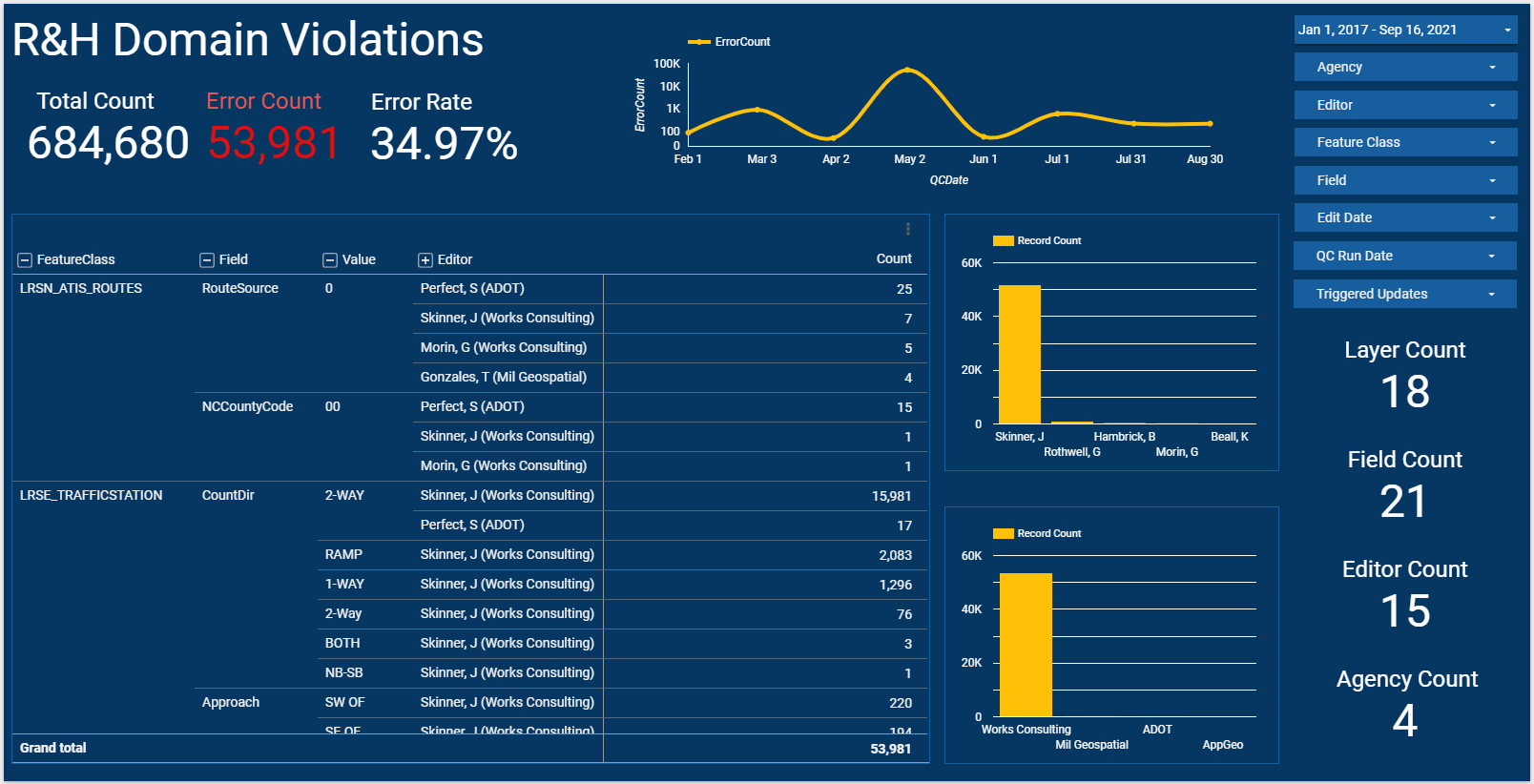
- Truncate and reload a Google Sheet with four tabs (domain violations, LRS event errors, LRS route errors and a QC summary of each run), which powers the dashboard.
What it checks
- Domain violations: values outside a field’s coded-value list or range.
- Linear event checks: gaps, overlaps, duplicates, short events, measures that don’t increase along the route (monotonicity) and cardinality.
- Route checks on the network the events are measured along.
Around the dashboard
I also helped build a shared library of about 59 reusable FME tools for linear referencing, reviewed and standardized the team’s FME workspaces, and made the case for running them on FME Server.